Your AI employee listens for the mail you choose and handles it within minutes
Tell your AI employee in your own words which mail matters: mail from a colleague, a client or a whole domain, or mail to a shared address such as support or sales. Each match in your mailbox reaches your chat within minutes, handled the way you asked.
What you get
- Listen for the mail that matters: mail from a person, a client or a whole domain, and mail from or to an address such as your support or sales address.
- Every message, or only new conversations: follow a person, a client or a deal message by message, replies included, or hear only about new support tickets and new sales inquiries.
- Handled the way you asked: a brief, a two-line summary, what needs your decision, a draft reply, a task or a reminder. When you ask, it looks up the history in your mail and in the help desk, tasks and CRM you have connected.
- In your own chat, for you only: each matching mail arrives within a couple of minutes. It replies to a sender only if your own request says so.
- Your own mailbox only: it hears the mail that reaches you, and never reads anyone else's mailbox.
Who uses it
Managers
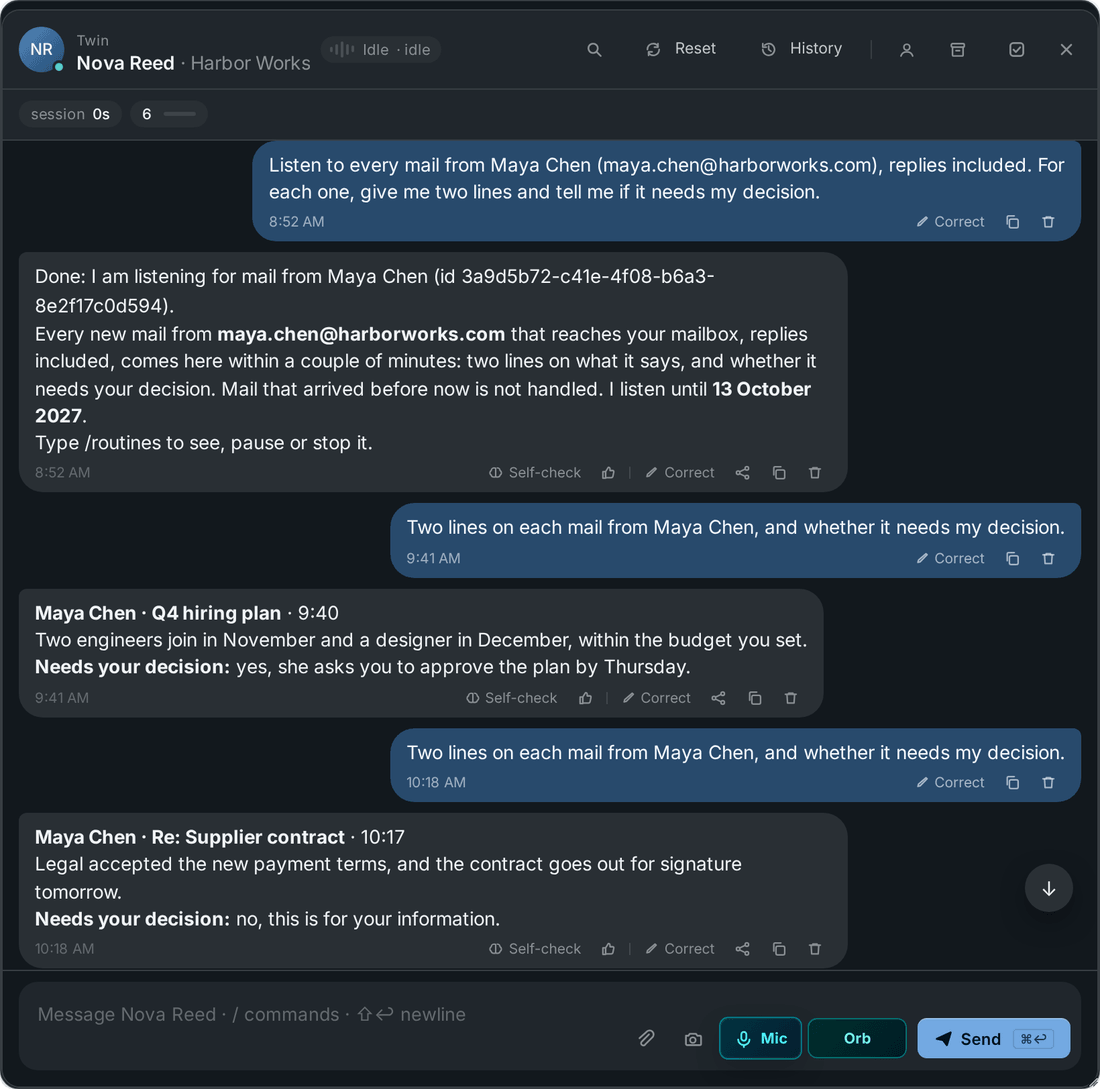
Follow every mail that a colleague or a direct report sends you, replies included: two lines on each, and whether it needs your decision.
Example Listen to every mail from maya.chen@yourcompany.com and sam.patel@yourcompany.com: two lines on each, and tell me if it needs my decision.
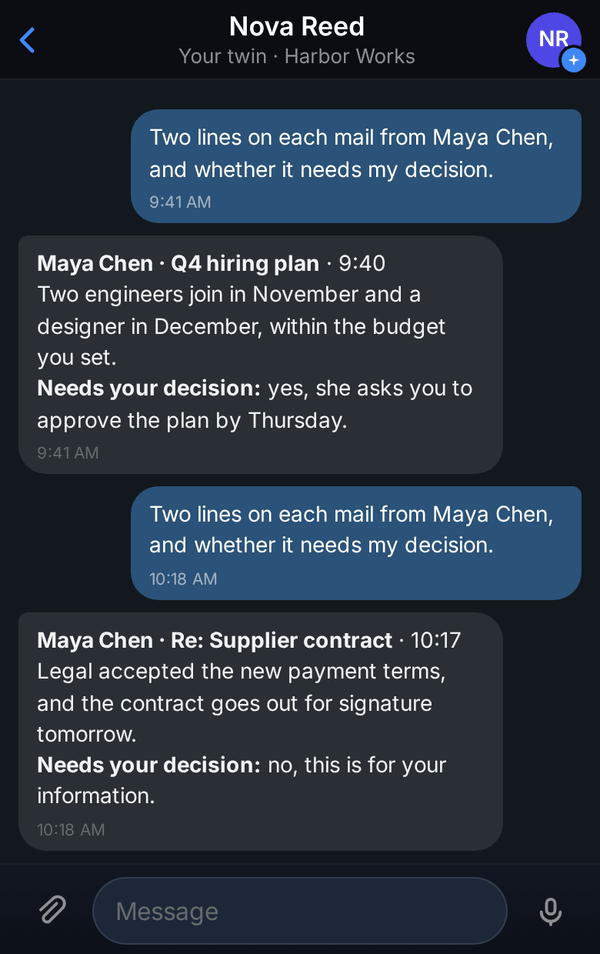
Two lines for each mail from a colleague, and whether it needs your decision. Sales
Hear about each new inquiry to your sales address: who it is, what they want, their history in your CRM and the next step. Set up a second listening for every mail from a key account.
Example Brief me on every new inquiry to sales@yourcompany.com, new conversations only: who it is, what they want, what the CRM has on them, and the next step with a short draft.
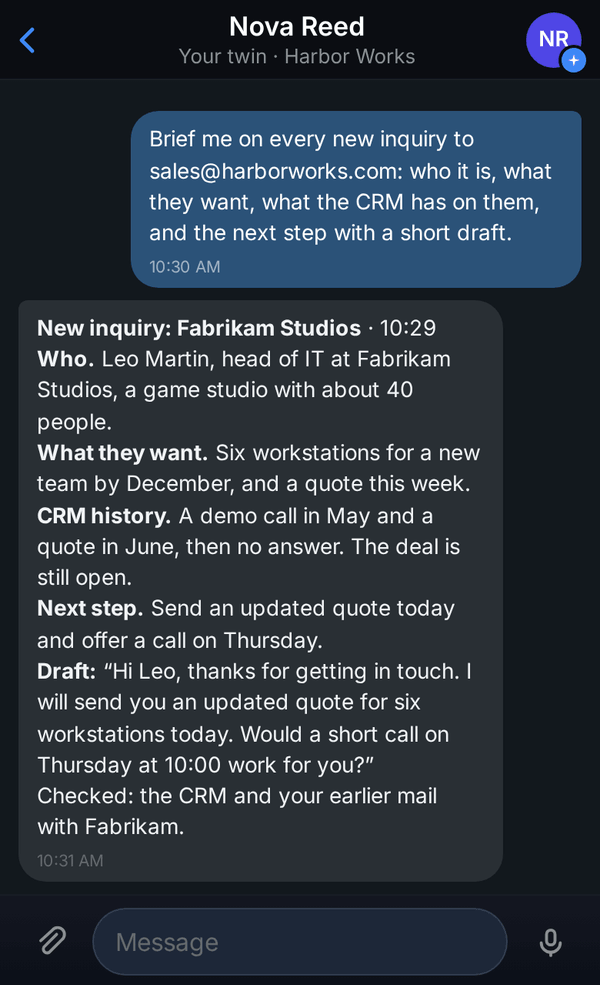
A new inquiry with the CRM history and a short draft. Support
Listen to your support address for new conversations only, and ask for a brief on each new ticket: who wrote, the client's history, their devices and serial numbers, and a draft reply.
Example Brief me on every new request that comes to support@yourcompany.com, new conversations only: who wrote, the client's history, their devices and serial numbers, what we should do, and a draft reply.
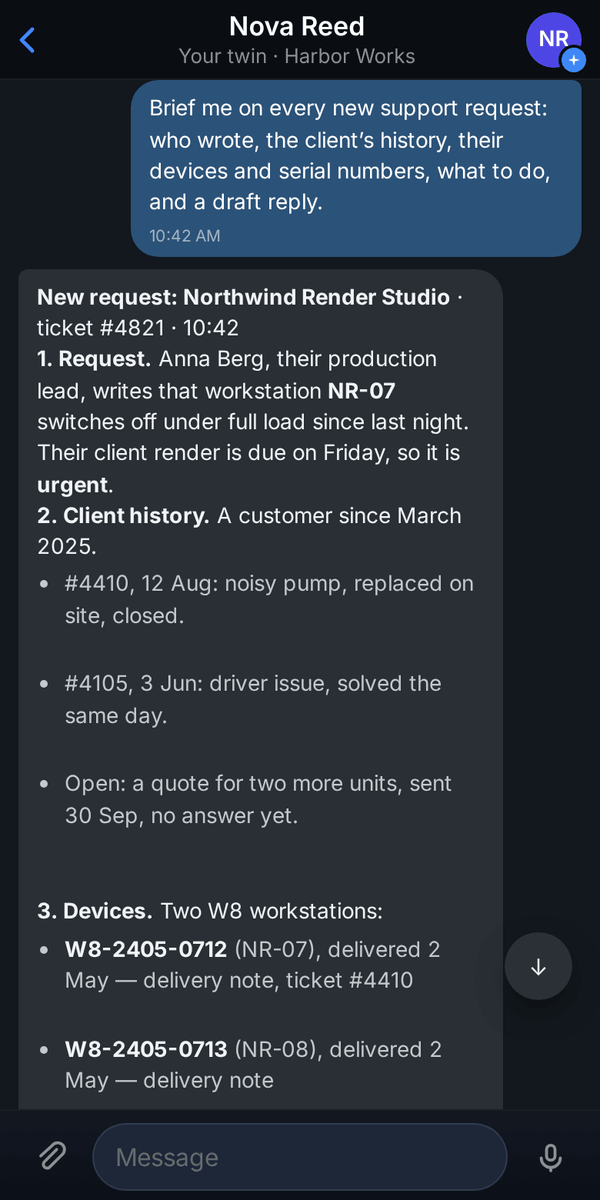
A new ticket with the client's history and devices. Account managers
Listen to every mail from a client's whole domain: a short summary of each message and the questions that are still open.
Example Listen to every mail from northwindrender.com: a short summary of each, and the questions we still have to answer.
Assistants
Hear about every mail to your office address, and every mail from your bank, the tax office or your landlord once you give their address or domain: what they require and by when, with a task or a reminder if you ask for one.
Example For every mail to office@yourcompany.com, tell me what they need from us and by when, and remind me two days before the deadline.
Finance
Hear about every mail to your invoices address: who sent it, the amount and the due date, with a task to pay it.
Example For every mail to invoices@yourcompany.com, tell me who sent it, the amount and the due date, and add a task to pay it.
Hiring
Get each new application to your jobs address with the role, a short profile of the candidate and a draft reply.
Example For every new application to jobs@yourcompany.com, new conversations only: who it is, which role, two lines on their experience and a draft reply.
How to use it
You need your work mailbox connected to your AI employee with full mail access. It listens only in your own mailbox, so mail to a shared address such as support or sales counts when it reaches you too. If your help desk is connected, its history can go into a brief when you ask for it.
Ask in your own words
Open the chat with your AI employee. Say which mail to listen for: from a person or a client (give their address), from a whole domain, or from or to a shared address such as support or sales. Say whether every message counts, replies included, or only the first message of each new conversation, and what to do with each one.
Example Listen to every mail from maya.chen@yourcompany.com, replies included. For each one, give me two lines and tell me if it needs my decision.
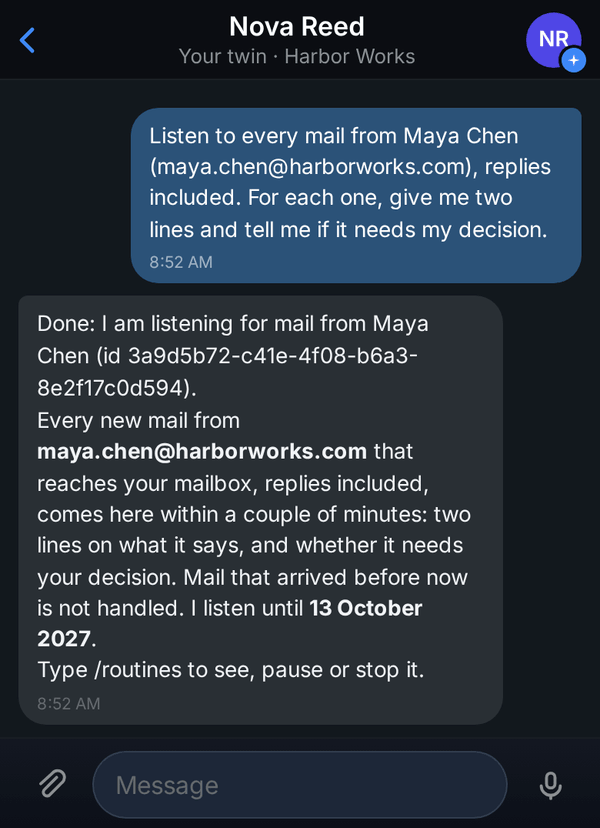
Your AI employee confirms what it listens for and until when. Check the confirmation
Your AI employee confirms what it listens for and until when, and says that mail which arrived earlier is not handled. If it says your mailbox needs full access, run
/google-authonce and accept: listening then starts by itself. If it asks you to connect your mailbox first, do that and then ask again.Get each matching mail in your chat
A couple of minutes after a matching mail arrives, your AI employee handles it in your chat, under your request, the way you asked. Several mails that arrive together come in one message.
Act on it in the same chat
Reply to the sender yourself, or keep talking to your AI employee about the mail: it already has the context.
Example Draft a reply to Maya that the hiring plan is approved, and remind me on Thursday to check that the contract is signed.
Pause or stop at any time
Type
/routinesto see what you listen for, when the last mail was handled and whether it is listening now. Use/routine offwith its number to pause,/routine onto resume and/routine deleteto stop.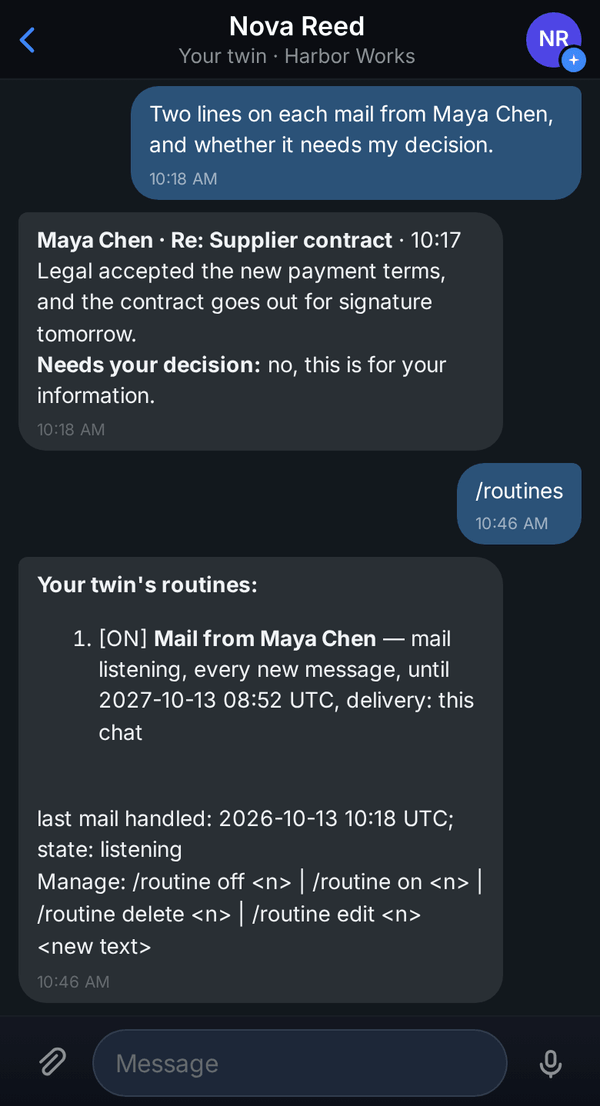
Your listening in the list of routines.
Good to know
- To follow a person, a client or a deal, ask for every message, replies included. For new tickets and new inquiries, ask for only the first message of each new conversation.
- Only the person who set it up receives what it finds, in their own chat.
- Mail that arrived before you set it up is not handled.
- Each listening handles up to 40 mails a day; the rest wait for the next day. If too many pile up, your chat says how many were not handled, so nothing goes missing silently.
- You cannot listen for mail sent to your own address or to your company's whole domain, because that would catch every mail. Name the person, the shared address or the domain the mail comes from instead.
- The content of incoming mail is treated as information from its sender, never as instructions to your AI employee.
- It listens for a year unless you ask for less, and your AI employee tells you when it ends. If your mailbox disconnects, you are told in the chat, and listening resumes after you reconnect.
- Already have a routine that checks your mail from someone every few hours? Ask your AI employee to listen for mail from that person instead, and remove the old routine with
/routine delete.